
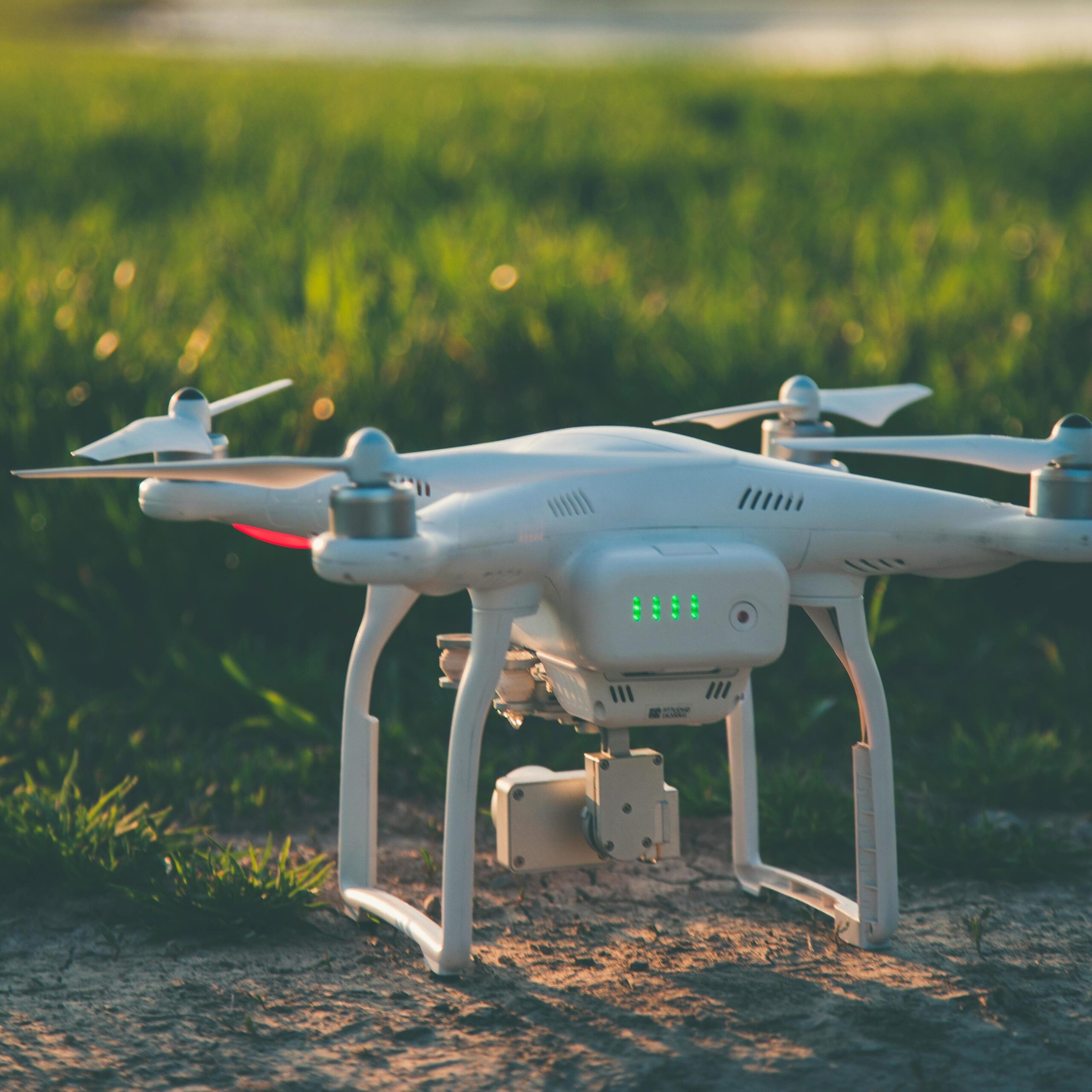



As the “power core” of drones, lithium batteries directly determine flight stability, endurance, and safety. However, issues like reduced capacity, swelling, and sudden shutdowns frequently occur in daily use, mostly caused by improper charging, environmental factors, and aging. This guide helps you accurately identify root causes, resolve faults through step-by-step troubleshooting, and extend battery lifespan.
Principais conclusões
- Drone lithium batteries are critical for flight performance—common issues stem from charging errors, environmental exposure, and cell aging.
- Core problems include capacity loss, swelling, sudden shutdowns, shortened flight time, and charger incompatibility.
- Troubleshooting requires basic tools (multimeter, balance charger) and prioritizes safety (especially for swollen batteries).
- Prevention through proper storage, charging habits, and regular inspections is key to extending battery life.
Core Precondition: Preparation Before Troubleshooting
Before starting, prepare basic tools and take safety precautions to avoid secondary damage or risks:
- Tools: Multimeter (for measuring individual cell voltage), original/balance charger, soft cloth (for cleaning contacts), insulating tape (for temporarily fixing loose connections);
- Safety Precautions: Operate in a well-ventilated, dry environment, away from fire and flammables. If the battery is swollen, stop touching it immediately and prepare explosion-proof handling.
5 Common Problems & Step-by-Step Troubleshooting
Problem 1: Diminished Battery Retention (Rapid Drain After Full Charge)
Core Causes: Cell aging, unbalanced cell voltage, long-term storage at full/empty charge, over-discharging. Lithium-polymer batteries typically lose 20% of their original capacity after 300-500 cycles, with high temperatures accelerating degradation. Step-by-Step Troubleshooting:
- Measure cell voltage: Use a multimeter to check each cell’s voltage. Normal voltage difference should be ≤0.1V. If exceeding 0.1V, cells are unbalanced—perform 1-2 full charge-discharge cycles with a balance charger to recalibrate.
- Check cycle life & storage: If cycles exceed 150 or the battery was stored fully charged/empty long-term, capacity loss is mostly irreversible. Slow charging/discharging (0.5C current, low-load discharge) can slow degradation but not restore original capacity.
- Rule out environmental factors: Temporary capacity loss may occur if the battery was exposed to temperatures above 45℃ (113℉) or below -10℃ (14℉). Let it rest at 22-28℃ (72-82℉) for 2 hours before retesting.
Problem 2: Battery Swelling (Housing Bulge/Deformation)
Core Causes: Electrolyte decomposition (gas production) from overcharging, over-discharging, high-temperature charging, cell aging, or physical damage. This is a high-risk fault—stop use immediately. Temporary heating/bulging after flight may be normal; if unimproved after resting, it’s abnormal. Step-by-Step Troubleshooting:
- Emergency handling: Cease charging, discharging, and flight immediately. Place the battery in an explosion-proof box or open area, away from people and flammables. Do not squeeze or puncture the swollen area.
- Identify triggers: Check if the charger is compatible (mismatched voltage/current causes overcharging) and if charging occurred above 45℃ (113℉) or below 0℃ (32℉).
- Disposal & recycling: Discard any battery that remains swollen after resting. Contact the brand for professional recycling—do not disassemble or dispose of it yourself.
Problem 3: Sudden Shutdown During Flight (No Warning)
Core Causes: Over-discharge triggering protection mechanisms, sudden cell voltage drop, loose connections, abnormal temperatures (overheating/cold triggering protection), or Battery Management System (BMS) failure. Step-by-Step Troubleshooting:
- Inspect connections: Remove the battery, clean metal contacts on the battery and drone with a soft cloth to eliminate poor contact from oxidation/dirt. If contacts are loose, secure gently with insulating tape (avoid blocking heat dissipation) or replace damaged plugs.
- Verify voltage & over-discharge: Ensure ≥30% battery level before flight; set low-battery alerts to 30%. Measure full-charge cell voltage—if any cell is below 3.0V, it’s damaged by over-discharging and must be replaced.
- Address temperature factors: Warm the battery to above 15℃ (59℉) before flight (use a thermal cover in winter to prevent cold-triggered protection). Do not charge immediately if the battery exceeds 45℃ (113℉) after flight—let it cool to room temperature first.
- Test BMS functionality: Charge with the original charger. If the charger errors frequently or the battery is unrecognized, the BMS may be faulty. Contact brand support for repairs or replacement.
Problem 4: Significantly Reduced Flight Time (20%+ Less Than New)
Core Causes: Cell capacity degradation, insufficient charging, abnormal load (e.g., increased drone weight, strong winds), or elevated battery internal resistance (aging sign). High-voltage lithium batteries offer 15-25% longer endurance than standard-voltage models but degrade faster. Step-by-Step Troubleshooting:
- Rule out non-battery factors: Reduce drone payload, avoid flying in strong winds, and compare endurance under identical conditions to eliminate load impacts.
- Test actual capacity: Perform a full charge-discharge cycle with a balance charger. If actual capacity is below 80% of the original, replace the battery (aging-related).
- Optimize charging: Use original or certified chargers with 1C current (e.g., 16A for 16000mAh batteries). Avoid fast charging (>2C) which damages cells. Ensure full charging to the standard voltage—prevent undercharging.
Problem 5: Charger Incompatibility (No Charging, Errors, or Slow Charging)
Core Causes: Mismatched charger voltage/current, inconsistent interface protocols, lack of balance charging functionality, or unbranded chargers with no protection mechanisms. Step-by-Step Troubleshooting:
- Verify parameter compatibility: Charger output voltage must match the battery’s rated voltage (e.g., 11.1V for 3S batteries, 22.8V for 6S batteries). Charging current should be 1C-2C and not exceed the battery’s rated charging current.
- Confirm interface & protocols: Ensure the charger connector fits the battery plug (e.g., XT90 anti-spark plug). Smart batteries require chargers supporting their communication protocols—protocol mismatches cause charging failures.
- Use reliable chargers: Prioritize original or 3C/UL-certified third-party chargers. Low-quality chargers risk overcharging and short circuits, damaging the battery or failing to charge it.
Prevention Is Better Than Repair: Key Tips to Extend Battery Lifespan
- Storage Guidelines: For long-term storage (>10 days), charge the battery to 40-65% and store in a dry environment at 0-40℃ (32-104℉). Perform 1 full charge-discharge cycle every 3 months to activate cells.
- Charging Taboos: Let the battery cool to room temperature before charging after flight—avoid high-temperature charging. Prevent overcharging (exceeding standard voltage) and over-discharging (below protection voltage). When parallel charging, ensure ≤10% capacity difference between batteries.
- Regular Inspections: Measure cell voltage monthly and check appearance/internal resistance every 3 months. New batteries have an internal resistance of 15-20mΩ—be alert if it exceeds 30mΩ (sign of aging).
With the above troubleshooting and maintenance methods, most common lithium battery issues can be resolved. If your battery shows severe aging, swelling, or sudden resistance spikes, do not use it—timely replacement is critical for flight safety.
PERGUNTAS FREQUENTES
What are the most common problems with drone lithium batteries?
The top issues include rapid power drain after charging, battery swelling, sudden shutdowns during flight, significantly shortened flight time, and charger incompatibility. These mostly result from improper use, environmental factors, or cell aging.
Is it safe to use a swollen drone battery?
No—swelling indicates electrolyte decomposition and gas buildup, a high-risk fault. Stop charging, discharging, or flying immediately. Place the battery in a safe, open area (or explosion-proof box) and dispose of it via the brand’s official recycling program. Never squeeze, puncture, or reuse a swollen battery.
Why has my drone’s flight time suddenly decreased by 20% or more?
Common causes include irreversible cell capacity loss (aging), insufficient charging, increased drone load (e.g., extra accessories), strong wind during flight, or elevated battery internal resistance. First rule out non-battery factors (reduce payload, avoid winds), then test the battery’s actual capacity—replace it if below 80% of the original.
How should I store my drone lithium battery when not in use for a long time?
For storage periods over 10 days: Charge the battery to 40-65% capacity, store it in a dry environment at 0-40℃ (32-104℉), and avoid extreme temperatures. Every 3 months, perform one full charge-discharge cycle to keep cells active. Never store a fully charged or completely empty battery long-term.
How do I know if a charger is compatible with my drone battery?
Check three key points: (1) Voltage match (e.g., 11.1V for 3S batteries, 22.8V for 6S batteries); (2) Current compatibility (1C-2C charging rate, not exceeding the battery’s rated current); (3) Interface/protocol alignment (matching plug type and communication protocols for smart batteries). Prioritize original or 3C/UL-certified chargers to avoid damage.
 Português do Brasil
  English
  Español
  한국어
한국어  Deutsch
  Français
  日本語
日本語  Русский
  Bahasa Indonesia
  ไทย
ไทย  العربية
  Italiano
  Nederlands